
The morning report looks perfect. Last night’s backup jobs all show Success.
That feels like safety. But it is not proof. Until you actually restore, it’s Schrödinger’s Backup: it can be both “working” and “useless” at the same time.
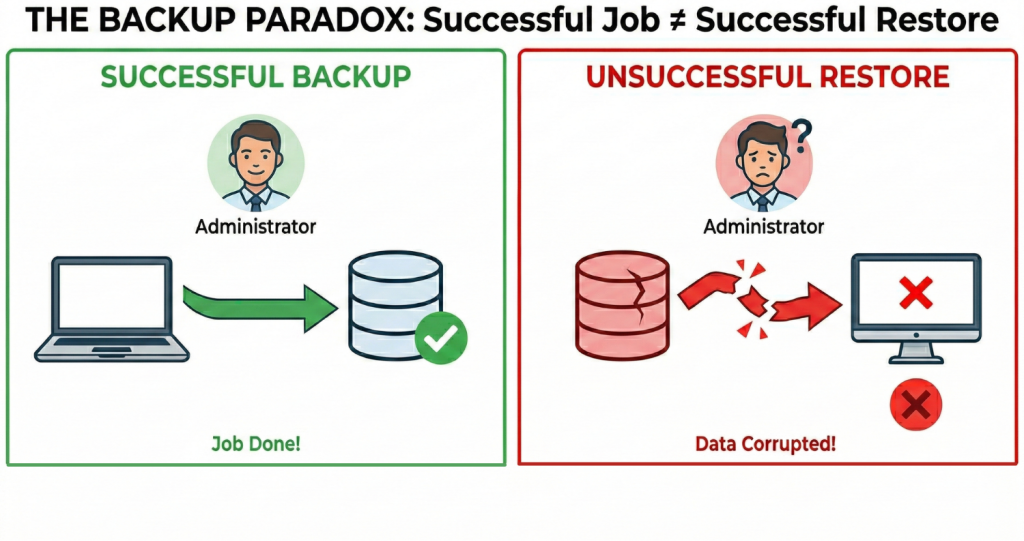
A backup job can finish without errors and still leave you with a restore that fails when it matters. Because a backup that has never been tested is not proof. It is a plan. The proof is the restore.
So the real question is not “Did the job finish?” It is: Can we restore what we need, within the time we need?
This approach is also a key part of staying compliant with regulations like NIS2, which require organizations to prove their business continuity plans actually work.
Why “successful” backups still fail later
Most restore problems are not obvious at backup time:
- Storage issues can damage data silently over time
- A change to a system can make a full recovery harder than expected
- Encryption or credentials are missing when you need them
- The restore is possible, but the process is slow, manual and uncertain
- Retention periods are incorrectly configured
- Crucial data was accidentally excluded from backup
None of this is visible in a “successful job” notification. You usually discover it only during an incident. And that is the worst moment to learn.
How Bareos supports a restore-first approach
1) Don’t just store it. Verify the integrity of your storage.
Data can become unreadable without anyone noticing. Hardware issues happen. Storage fills up. A tape from last year might not read cleanly today.
Bareos can run verification jobs that compare your stored data against its original digital signature. This catches silent data corruption (bit rot) before it becomes a disaster.
Another option is that Bareos can run restore jobs automatically, thus verifying the whole restore chain from reading the data from the backup media until being recovered to the source system.
This turns “we assume our backups are fine” into a regular check you can review. If something is off, you find out during normal operations, not during an incident.
2) Linux recovery with ReaR
File restores are common. But many real incidents are about restoring a whole system.
With ReaR (Relax-and-Recover), Bareos supports bare-metal recovery workflows on Linux. The value is repeatability: fewer manual rebuild steps, fewer surprises, and a process you can test.
3) Windows Recovery with Barri
Full-system recovery for Windows has traditionally been slow and manual. The new Barri (Bareos Recovery Imager) plugin in Bareos 25 creates a complete system image during normal system operation without interruptions. Barri allowsyou to recover an entire Windows environment to the original system, new hardware or a VM rather than just restoring individual files.
A short “sleep better” checklist
You do not need to test everything. You need a small routine that runs regularly.
Weekly
- run a verification check or a test restore of randomly selected data
- review the result like you review monitoring alerts
Monthly
- Restore one system into a test environment (VM is fine) and confirm it boots and is usable
- pick different time ranges (last week, last month, last quarter)
Always
- make sure anything required for restore is available when systems are down (passwords, keys, permissions, access to storage)
Conclusion
A good backup report is a useful signal. But the only thing that matters in a real incident is whether you can restore.
If you want confidence in 2026 – against outages, mistakes and ransomware – you need evidence that restores work. Bareos supports that approach with verification and recovery workflows you can test and repeat.
If you want to go deeper, you can test Bareos 25 and test Windows recovery with the Barri subscription-only plugin in your own environment to validate your Windows recovery workflow.